

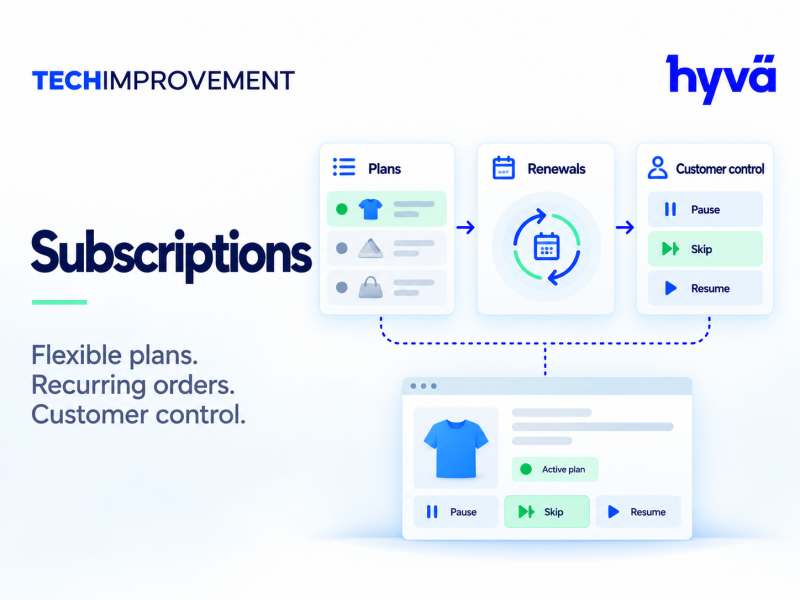
Subscriptions & Recurring Payments
Manage subscription plans, recurring orders and customer subscription accounts using Magento checkout.
Check it fits your store
Questions about compatibility? Contact us.
Details
Magento 2 subscriptions let your store sell recurring plans and service products from one catalog. The Subscriptions & Recurring Payments extension from Tech Improvement Inc. manages plan frequencies, introductory pricing, customer subscription accounts and renewal scheduling.
Magento 2 subscriptions features
- Plan frequencies for recurring orders
- Introductory pricing for new subscribers
- Service-plan products
- Customer subscription management
- Renewal scheduling
How checkout and renewals work
The initial checkout uses your Magento payment methods. Automatic saved-card renewal integrations are optional companions. They require their supported payment extensions and valid saved-payment authorization.
Requirements before you go live
- Magento 2.4.7 to 2.4.9 dependency target lines. Verify the destination PHP and dependency versions.
- Magento cron must run for renewal schedules and reminders.
- Optional Hyvä, Stripe and split-payment companions have their own dependencies and installation sequence.
- Test renewal agreements, provider authorization and failed-payment recovery before you enable recurring charges.
- The optional SplitPayment and SubscriptionsSplitPayment payload requires Magento 2.4.9. Install only companions compatible with your selected release.
Editions and digital download
Choose the Community, Enterprise or Magento Cloud edition. This is a digital download of Subscriptions version 1.2.1.
Change Log
Version 1.6.1 – November 4, 2026
Other changes
- Documentation only, no code changes: the companion packages are installed on their own with Composer (techimprovement/module-subscriptions-hyva, -stripe, -braintree, -payment-services, -payflow, -split-payment); Subscriptions needs none of them and no payment extension. New companions renew subscriptions with the card saved at checkout for PayPal Braintree, Adobe Payment Services and PayPal Payflow Pro / Payments Pro.
- How to remove a payment module such as the official Stripe module without errors: remove its companion first.
Earlier versions (4)
Version 1.6.0 – October 28, 2026
Other changes
- Sales email templates for subscription orders. New group Sales Emails of Subscription Orders with nine templates: renewal order (customer and guest), renewal invoice (customer and guest), prorated change order, and credit memo and shipment (customer and guest) of renewal and prorated change orders. Empty templates, deleted templates and orders that start a subscription use the normal sales email templates. The templates are applied wherever Magento sends these emails: at once, with asynchronous sending by cron, when resent from the admin and through the REST API.
- Send Order Email for Renewals now works for every renewal the extension places itself (automatic charges, offline methods, free renewals, from cron, the command line or the admin). It sends Magento's order email and the invoice email, in addition to the subscription emails. Before, Magento sent these emails only for orders placed in the storefront checkout or through the API, so automatic renewals got none. The setting stays Yes by default: set it to No to keep the previous behaviour.
- New setting Send Order Email for Prorated Changes (default Yes): the same for the orders that charge the prorated difference of an immediate upgrade.
- New setting Subscription Details in the Cart (General, default Yes). With No, the plan, payments and end date rows are hidden in the cart, mini cart and checkout summary; orders, emails and PDFs still show them.
- An order on hold (for example a payment that Stripe Radar holds for a manual review in Split Payment 1.6.0) does not start its subscriptions or settle a renewal paid with a pay link until it is released.
- Cancelling the first order of a subscription before anything was paid now also cancels a subscription that already started from it (scheduled, trial or active), as long as no later payment was billed. Before, only subscriptions still waiting for the payment were cancelled. This covers, for example, an Authorize Only order that was released from hold and then cancelled. The cancellation sends no email; the subscription webhook is sent. Refunded (closed) first orders never cancel the subscription.
- With Techimprovement Subscriptions Split Payment 1.1.0, the main settings and the new templates can also be set in the Split Payment settings under Payment Methods.
Version 1.5.0 – October 27, 2026
Other changes
- Subscription page in My Account redesigned. A summary at the top shows the product, the status, the plan and options, the amount, the next payment and the payment method. The main column has *Change plan*, *Manage subscription* (pause and next payment date as cards with a short explanation, the other actions as buttons, *Cancel subscription* opening in place), the billing history and a timeline of the history. Plan details, the schedule, the service (license key with a copy icon, usage), the payment method and the shipping address are cards on the right on wide screens and under the main column on phones. All forms and actions are the same as before.
- *Manage subscription* is hidden when no action is allowed, instead of an empty box.
- A subscription that ends at the end of the period ("Cancels Nov 13, 2026") has an amber status label on the subscription page and in the list, instead of the green "active" one.
- Template change: customer/view.phtml was restructured; themes that override it should compare with the new version. The Hyvä page (Techimprovement_SubscriptionsHyva) is unchanged.
Version 1.4.1 – October 25, 2026
Other changes
- "My Subscriptions" link in the header customer links (top.links, block tisubscriptions.top.link): the account menu of signed-in customers on Luma themes.
Version 1.4.0 – October 24, 2026
Other changes
- Deleted, disabled or out of stock products no longer make renewals fail. Before, a renewal of a deleted or disabled product failed ("The subscribed product no longer exists"), counted as a failed payment and started the dunning. Now:
- Product (or the subscribed variation) deleted, disabled or removed from the subscription's website: the subscription ends at the end of the paid period (cancel_at_period_end, new column cancel_cause = product_missing, product_disabled or product_not_in_website); past due, suspended and paused ones end at once, open pay links are cancelled. When the product is sold again before that date, the cancellation is withdrawn. Customer and admin cancellations are never withdrawn. Customers cannot withdraw it themselves ("Keep my subscription" and "Renew" are hidden), and SubscriptionActions::reactivate() refuses while the product is unavailable.
- Product out of stock: When the Product Is Out of Stock now defaults to Skip This Cycle. A skipped cycle voids its open renewal transaction and pay link, and a past due subscription becomes active again (nothing is owed for the skipped cycle).
- One-time items of the next renewal whose product was deleted or disabled are removed (history entry); out of stock ones wait for the next renewal.
- How it is detected: catalog_product_delete_commit_after / catalog_product_save_commit_after (observer FlagSubscriptionsOfChangedProduct) and a plugin on Magento\Catalog\Model\Product\Action::updateAttributes() / updateWebsites() (mass actions) flag the subscriptions concerned (new column availability_check, one UPDATE; product saves never fail because of it). The renewal cron processes the flags (ProductChangeQueue, part of LifecycleTasks) with ProductAvailabilityGuard. Renewals check the product before charging (RenewalProcessor), so deletions by imports or SQL are handled too, and reminders are not sent for products that are no longer sold. The admin sees how many subscriptions a deleted or disabled product affects.
- Emails: new templates Product No Longer Available (will end / has ended / continues) and Cycle Skipped (Out of Stock), with their settings in Emails. Webhooks and Magento events carry reason: product_unavailable with cause, or reason: out_of_stock.
- My Account: a notice on the subscription page explains that the subscription ends (or ended) because the product is no longer available (CustomerSubscriptions::getProductNotice()).
- Command line: techimprovement:subscriptions:process --check-products checks every running subscription; the output now reports the subscriptions ended, scheduled to end and continued.
- Upgrade: indexes on product_id and child_product_id; data patch CheckSubscribedProducts flags every running subscription once, so subscriptions of products deleted before this version end properly on the next cron run.
Reviews
Be the first to review Subscriptions & Recurring Payments
Reviews are written by customers with an account. Sign in to tell others how it works on your store.
