

One Step Checkout
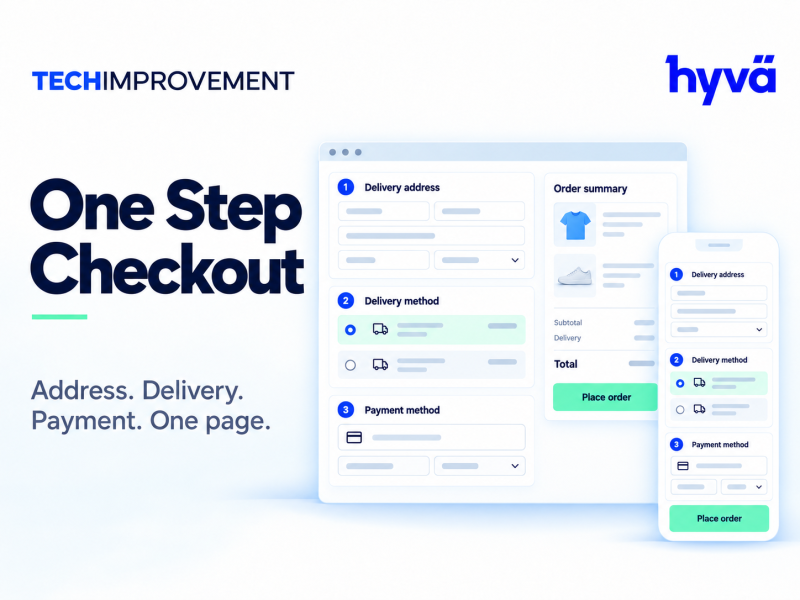
One-page checkout with selectable Alpine or Knockout engine, builder controls and native Magento payment renderers.
Check it fits your store
Questions about compatibility? Contact us.
Details
Magento 2 one step checkout puts address, shipping, payment and order summary on one configurable checkout page, so shoppers can complete an order without moving between steps. This page covers the One Step Checkout extension for Magento 2, version 2.0.4, delivered as a digital download.
Magento 2 one step checkout features
- Checkout-builder settings to shape the checkout layout
- Address autocomplete integration
- Shipping refresh and delivery options
- Native payment-renderer islands with Alpine or Knockout engine selection
What is included
The download includes the One Step Checkout extension, version 2.0.4. Choose the edition that matches your store: Community, Enterprise or Magento Cloud.
Requirements
- Magento 2.4.9 package line
- PHP 8.3, 8.4 or 8.5 and module Composer requirements
- Install maxmind-db/reader:^1.11 for the included GeoIP integration
- Optional OneStepCheckoutHyva adapter requires a licensed regular Hyvä Theme; strict Alpine CSP checkout is not certified
Testing before launch
Google, shipping and payment services need merchant credentials and provider-specific testing. Provider accounts and renderer compatibility require separate sandbox acceptance before you go live.
Change Log
Version 2.5.1 – November 3, 2026
Fixed
- Adobe Payment Services, Credit Card: on the Alpine.js checkout (Luma and Hyvä) the checkout's Place Order button stayed hidden until the shopper selected Credit Card a second time. The payment section checked for the method's own button before Payment Services had rendered it and took Credit Card for a method that places the order with its own button (like PayPal or Apple Pay). Credit Card is now registered as a method that uses the standard button. Wallet methods (PayPal, Pay Later, Apple Pay, Google Pay) still hide the checkout's button.
Earlier versions (4)
Version 2.5.0 – October 31, 2026
New
- Adobe Commerce (on-premises and cloud): One Step Checkout comes in two packages. One Step Checkout for Magento Open Source, and One Step Checkout for Adobe Commerce (techimprovement/module-one-step-checkout-adobe-commerce), which adds the module Techimprovement_OneStepCheckoutAdobeCommerce: gift card accounts (apply, see the balance, remove, with the "Gift Card Code Request" CAPTCHA), store credit, reward points, gift wrapping of the order and of single items, gift receipt and printed card, as Checkout Builder components on the Alpine.js checkout (Luma and Hyvä); on the Knockout checkout the Builder places Adobe Commerce's own components.
- Extension points for such modules: the "dataProviders" argument of Techimprovement\OneStepCheckout\ViewModel\Storefront\CheckoutData (data in cfg.extensions[code] of the checkout script, Techimprovement\OneStepCheckout\Api\StorefrontDataProviderInterface) and window.toscSegmentRows[code], which shows a totals segment as rows of its own in the order summary (one row per gift card, the gift wrapping prices).
Fixed
- Customer and address attributes entered on the checkout are listed on the storefront order page, the success page and in emails on Adobe Commerce too (Adobe Commerce's Customer Attributes module shows customer attributes only in the Account Information of the admin order view, which is why the admin order view still leaves them out there).
- Knockout checkout: with one payment method available, the page showed "The shipping address is missing. Set the address and try again." under the discount code for signed-in customers. Magento selects the only method right away and its cart price rule script saved it before the shipping address; it is now saved once the shipping information is.
Version 2.4.1 – October 30, 2026
Fixed
- Magento 2.4.8: setup:di:compile stopped with "Class Magento\Csp\Model\SubresourceIntegrity\HashResolver\ HashResolverInterface does not exist". The payment island now reads the SRI hashes of the static files from Magento_Csp's hashes block (Magento\Csp\Block\Sri\Hashes), which 2.4.7, 2.4.8 and 2.4.9 all have; on 2.4.9 the result is the same as before.
- composer.json accepts the Magento 2.4.8 packages (magento/framework 103.0.8 and the 2.4.8 module versions). Checked against Magento Open Source 2.4.8: setup:di:compile with One Step Checkout and its Hyvä module, every Magento class, plugged method and JavaScript module the checkout uses.
Version 2.4.0 – October 30, 2026
New
- reCAPTCHA v2 "I'm not a robot": the box shows above Place Order, below the sign-in and below the discount code, and the shopper is asked to tick it before anything is sent (no card is authorized without it). v2 invisible and v3 need no box: Google's badge shows, and Google's script loads on the first interaction with the page.
- Google's script is loaded once per page: Magento's own reCAPTCHA widgets (newsletter, sign-in popup) reuse it (mixin of Magento_ReCaptchaFrontendUi/js/reCaptchaScriptLoader). Magento's place order reCAPTCHA is left out of the payment island, which the Alpine.js checkout replaces.
Fixed
- Google reCAPTCHA (Stores > Configuration > Security > Google reCAPTCHA Storefront) works with the Alpine.js checkout (Luma and Hyvä): with Enable for Checkout/Placing Order on, placing the order failed with "ReCaptcha validation failed" for every payment method, Split Payment included, because the order request had no token. The token now goes in the X-ReCaptcha header of the order request, after the payment method's own preparation (Split Payment card authorization), so Google's two minutes are not spent on 3-D Secure. The same for Applying Coupon Code (coupon request) and Customer Login (sign-in in the checkout, g-recaptcha-response). Payment methods of the payment island send it too, in the same header.
- A refused reCAPTCHA token no longer asks for Magento's CAPTCHA image of the payment step.
Version 2.3.1 – October 30, 2026
Fixed
- Checkout page error "syntax error, unexpected token \"
Reviews
Be the first to review One Step Checkout
Reviews are written by customers with an account. Sign in to tell others how it works on your store.
